Shop and discover
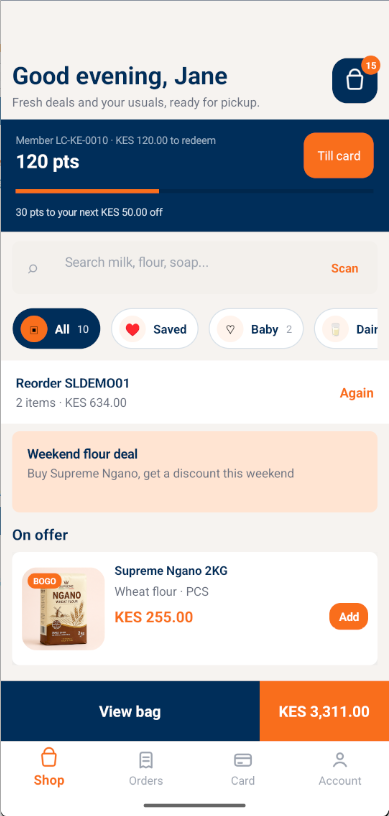
The same products, prices and promotions the till sells, with favourites, barcode scan, BOGO offers and one-tap reorder.
Put your store in every customer's pocket. Your logo, colours, stores and membership programme, on the same engine that runs your POS, HQ and ERP.
How an order placed in the app is fulfilled at your branch.
Live catalogue, prices and promotions match the till.
Pay now with M-Pesa, or pay at pickup.
The order posts through HQ to the branch fulfilment queue, with no re-keying.
The branch fulfils pickup or delivery from its queue.
Push notifications confirm payment and pickup readiness.
The member scans the till card to earn and redeem points at the register.
The same products, prices and promotions the till sells, with favourites, barcode scan, BOGO offers and one-tap reorder.
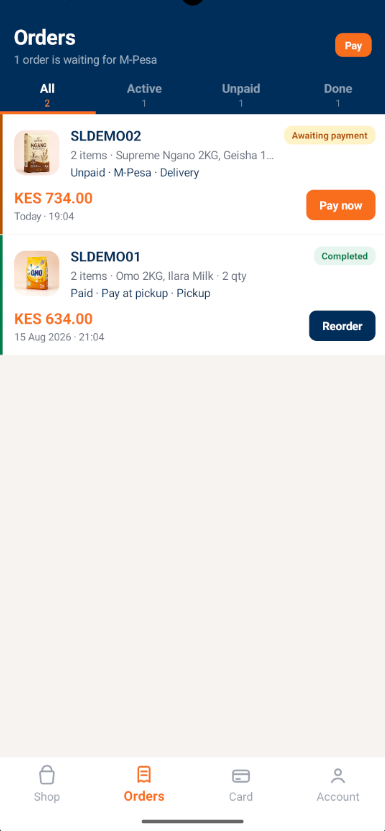
Active, unpaid and completed orders, M-Pesa pay-now, pickup or delivery, and push notifications.
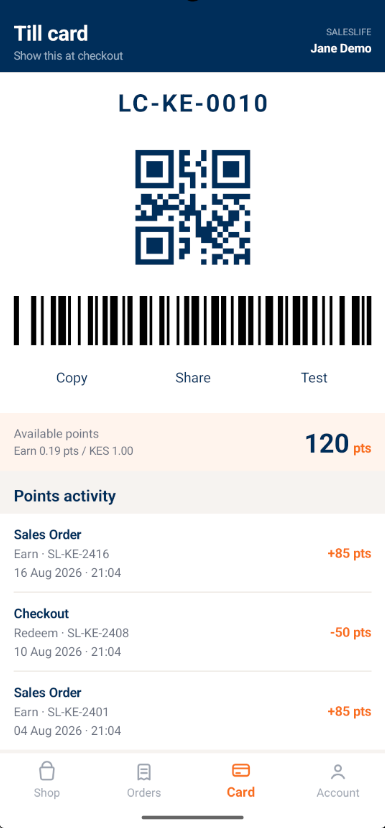
A digital membership card with QR and barcode. Scan at the register to earn and redeem points across branches.
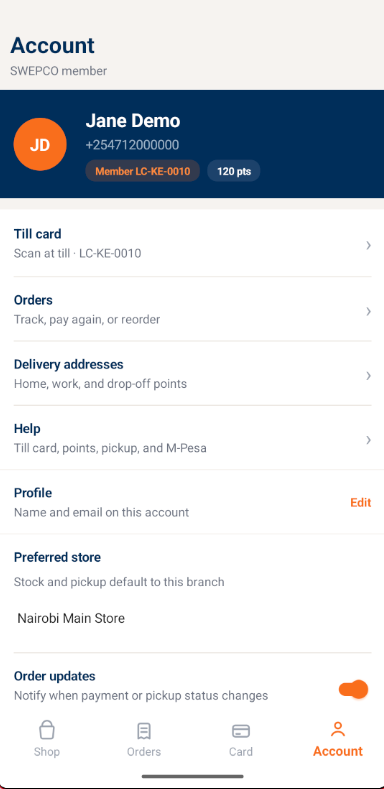
Profile, preferred store, delivery addresses and help, themed per client without forking code.
| Layer | What the Customer App uses |
|---|---|
| SalesLife HQ | Catalogue sync, pricing and promotions, loyalty accrual and redemption, the online order queue |
| Branch POS | Scans the till card, fulfils pickup and delivery orders, posts sales and returns |
| ERP | Dynamics 365 Business Central or SAP Business One for receivables, inventory valuation and settlements |
Screens shown are from a demonstration tenant. Production apps carry each client's logo, colours and membership programme name.
Yes. Each client gets a whitelabeled app with its own logo, colours, store names and membership programme.
Members show a till card with a QR code and barcode. They earn on app orders and redeem with a single scan at the register, with a cross-branch profile synced through SalesLife HQ.
Yes. Awaiting-payment orders can be paid with M-Pesa, with real-time status.
Yes. Every mobile order posts through SalesLife HQ to the branch POS fulfilment queue.
Download the Customer App brochure from the SalesLife Resources section, or request a whitelabel demo.
Book a live demo with a SalesLife retail specialist, or email hello@saleslife.com.