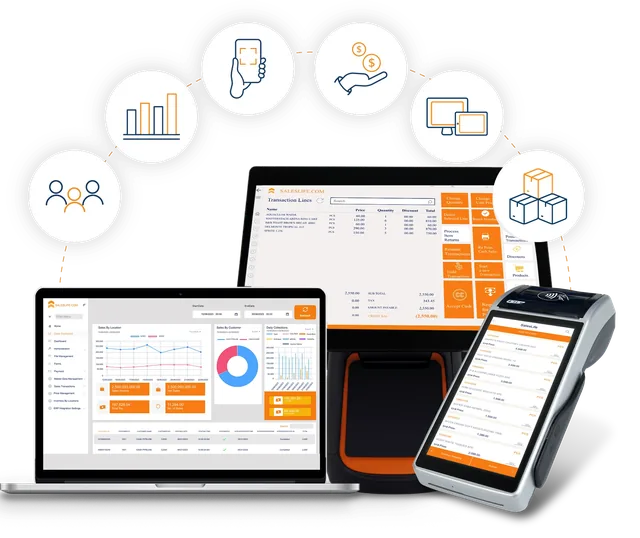
The retail POS system built for African tills, online or offline
Cashiers sell at full speed whether the internet is up or not. Every sale is signed for KRA eTIMS, paid in any mix of cash, M-Pesa, card or credit, and posted to your ERP through SalesLife Central, so the till stays fast and finance stays clean.
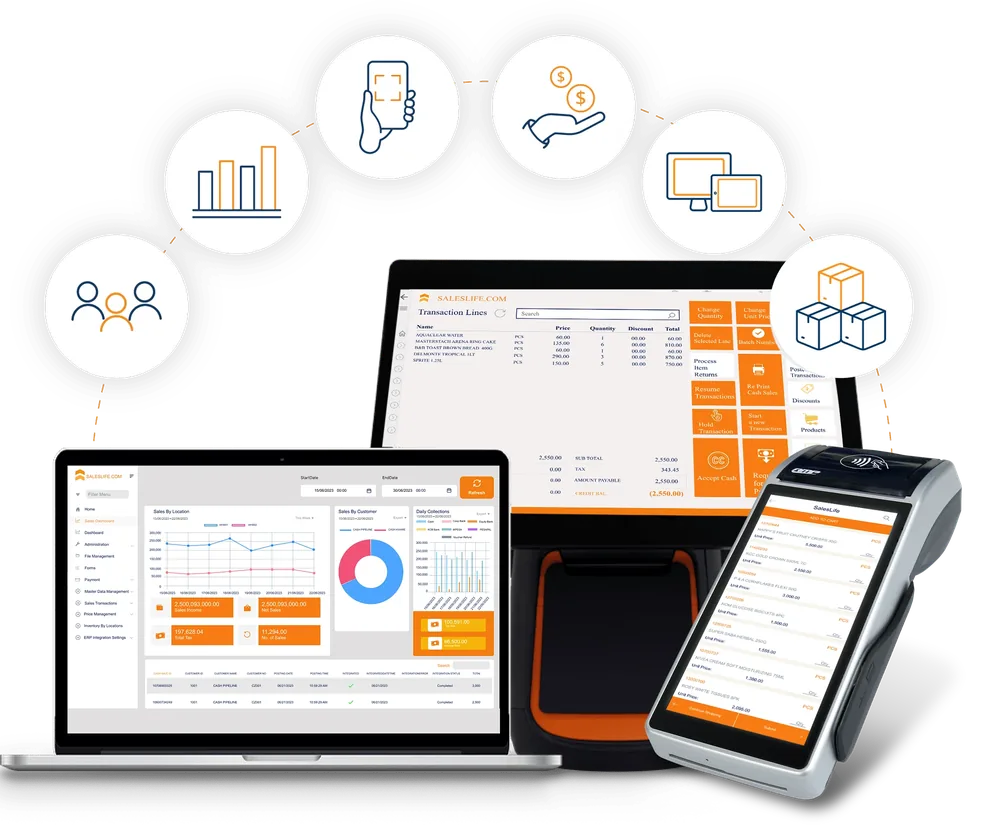 KRA eTIMS signedM-Pesa KES 800 receivedOutbox: 0 waiting
- 7tender types, split across one sale
- 112standard reports
- Offlinefirst, with an outbox that replays
- eTIMSsigning inside the sale
Everything the cashier needs at the till
One screen for the whole sale, from the first scan to the receipt.
Fast selling. Barcode scan, category grid, advanced search and live food-scale weight, with batch and serial selection and buyer PIN capture for KRA.
Every tender
Cash, card, M-Pesa STK, Airtel Money, credit account, gift card and loyalty, alone or split.
Hold and hand off
Park a sale, pass it to another cashier and work a pending-payments queue.
Returns and exchanges
Receipt and no-receipt returns, partial lines and exchanges, with reason codes.
Receipts anywhere
Print, or send by SMS, WhatsApp or email, queued and retried if the connection drops.
Quotes, orders and invoices
Turn a cart into an invoice, sales order or quotation, with expiry and approvals.
Self-checkout and queue busting
A self-checkout lane and floor-selling cart on the same PC and prices.
Lay-by, gift cards, loyalty
Deposits, gift cards with liability reporting and loyalty tiers across branches.
Look-ups at the counter
Sales history, price check, receipt reprint and manager override in place.
A sale, from the till to the ledger
What happens after the cashier presses pay.
- 01Till
Take the sale
Scan items, apply promotions and loyalty, with supervisor gates on discounts and price overrides.
- 02Payments
Take payment
Cash, card, M-Pesa STK or Airtel Money, alone or split across tenders.
- 03KRA eTIMS
Sign the invoice
The sale is signed through the local VSCU agent and the fiscal QR is stored. If it cannot be signed, it queues and retries.
- 04Till
Give the receipt
Print it, or send it by SMS, WhatsApp or email.
- 05SalesLife HQ
Sync and stage
The branch pushes the sale to HQ, which validates and stages it. Failed pushes wait in the outbox.
- 06ERP
Post to the ledger
HQ posts to Dynamics 365 Business Central or SAP Business One once, with audit references.
Result Posted sale with a full audit trail
Fast at the till, accurate in the ledger
The till never waits for the ERP. It sells against the branch database, and SalesLife Central does the posting.
- Tills never hold ERP credentials and never call the ERP directly
- Failed pushes wait in an outbox and replay, so a sale is never posted twice
- Each ERP has its own mapping for sales, payments, stock and procurement
What keeps working when the network does not
The till sells against the branch database, so an outage slows the extras, not the shop.
Keeps working offline
- Cash sales and cash tender
- Credit-account sales with limit checks
- Local stock lookup and price check
- Receipts, returns and till close
- Unsigned eTIMS invoices queued and retried
Waits for the connection
- M-Pesa STK Push and Airtel Money
- Card terminals
- Sync with SalesLife Central
- Cloud fiscal signing
- Failed pushes wait in an outbox and replay
Take payment the way customers pay
Seven tender types, and any sale can be split across them.
- Cash
- Card
- M-Pesa STK
- Airtel Money
- Credit account
- Gift card
- Loyalty points
One sale, three tenders. Example sale of KES 1,140: any mix of the tenders above on one receipt.
- Sugar 2kg340
- Cooking oil 1L620
- Bread60
- Milk 500ml x2120
- M-Pesa800
- Cash240
- Loyalty100
signed
Payments and compliance in the sale
| Area | What the till does |
|---|---|
| KRA eTIMS | Signs sales and refunds through a local VSCU agent, stores the fiscal QR payload on the document, queues what cannot be signed and escalates SLA breaches. |
| Mobile money | M-Pesa STK Push and C2B through SalesLife middleware, and Airtel Money STK. |
| Cards and banks | Card terminals (Pesapal, EazzyPay and a generic gateway), bank transfer, vouchers and instalments. |
| Insurance | Member card lookup and hospital claim file submission at the till through the SMART B2B API. |
| Credit accounts | Sell on account with limit checks, statements and ageing. |
Control at the counter
Roles and branch scope
Cashier, supervisor, manager and admin roles, with users limited to their own branches.
Supervisor approval
Gates on voids, refunds, discounts and price overrides, plus dual approval for high-value actions.
Biometrics and Windows Hello
Optional biometric approval for high-value sales and Windows Hello sign-in.
Idle lock and audit
A till lock after 3 idle minutes (configurable) and a full log of every override.
Register control
Float declaration, tender count, variance and a Z-report at close.
Till movements
Pay-in, pay-out, safe drop and float top-up recorded against the session.
Hardware, install and rollout
| Topic | How it works |
|---|---|
| Platform | A Windows application packaged as MSIX, for Windows 10 and Windows 11 tills. |
| Devices | Live food-scale weight, a second-monitor customer display, a self-checkout lane and a handheld companion on the same PC. |
| Branch server | One till hosts the branch database and the other tills discover it, so a shop with several tills shares one set of data. |
| First run | A wizard sets the database, till code, currency and HQ address. Every till in the fleet runs the same version. |
| Backups and health | Encrypted branch backups, a sync outbox view, database health checks and a pre-close checklist. |
One till or a thousand
The same POS runs a single shop, a supermarket lane, a pharmacy counter or a delivery van.
Common questions
What is SalesLife POS?
SalesLife POS is the offline-first point of sale of SalesLife 365. It runs on Windows tills, signs sales for KRA eTIMS, takes cash, M-Pesa, card and other tenders, and syncs with SalesLife Central, which posts to Dynamics 365 Business Central or SAP Business One.
Does the POS work without internet?
Yes. Cash sales, credit-account sales and local stock lookup continue on the branch database. M-Pesa, card terminals, sync and cloud fiscal signing wait for the connection, and queued items replay when it returns.
Which payment methods does it accept?
Cash, card, M-Pesa STK Push and C2B, Airtel Money, credit accounts, gift cards and loyalty points, plus bank transfer, vouchers and instalments. A single sale can be split across several tenders.
Is the POS KRA eTIMS ready?
Yes. Sales and refunds are signed through a local VSCU agent, the fiscal QR is stored on the document, and unsigned invoices are queued and retried.
What hardware does it run on?
Windows 10 and 11 tills, installed from a signed MSIX package. It supports a food scale, a second-monitor customer display, a self-checkout lane and a handheld companion. Share your hardware list and we will confirm it during scoping.
Can it run many branches?
Yes. SalesLife Central publishes prices, products and users to every branch and collects sales, stock and end-of-day batches back, while each branch keeps trading offline.
Keep exploring
See SalesLife on your products, your branches and your ERP.
Book a live demo with a SalesLife retail specialist, or email hello@saleslife.com.